Search This Website

Showing posts with label Calling App. Show all posts

Thursday, November 10, 2022

tafcop.dgtelecom તમારા ID પર કોઈ બીજા વ્યક્તિ તો સિમકાર્ડ નથી વાપરતા ને? આ રીતે ચેક કરો 2 મિનિટમાં તમારા ID પર કેટલા સિમ ચાલુ છે

tafcop.dgtelecom તમારા ID પર કોઈ બીજા વ્યક્તિ તો સિમકાર્ડ નથી વાપરતા ને? આ રીતે ચેક કરો 2 મિનિટમાં તમારા ID પર કેટલા સિમ ચાલુ છે

તમારા નામ પર કેટલાં સીમ કાર્ડ ચાલુ છે? અત્યારના સમયમાં ફ્રોડ બહુ વધી રહ્યા છે, ત્યારે આપણા નામ પર કેટલા સીમ કાર્ડ ચાલુ છે તે જાણવું આપણા માટે ખૂબ જ મહત્વનું છે. ઘણી વખત આપણી જાણ બહાર આપણા નામ પર કોઈ કાર્ડ વાપરતું હોય છે અને આપણને જાણ પણ હોતી નથી. આજે અમે તમારા માટે ખૂબ જ ઉપયોગી માહિતી લાવ્યા છીએ. જેની મદદ થી તમે તમારા નામ પર કેટલા સીમ ચાલુ છે તે જાણી શકશો.


tafcop.dgtelecom

તમારા નામ પર કેટલાં સીમ કાર્ડ ચાલુ છે? તમારા નામે બીજા કોણ સિમ વાપરે છે ? આજે જ ચેક કરો.

તમારા નામ પર કેટલા સીમ ચાલુ છે તે ઓનલાઇન ચેક કરવા માટે નીચેના સ્ટેપ ફોલો કરવા પડશે.

સ્ટેટ બાય સ્ટેપ પ્રોસેસ


સૌપ્રથમ tafcop.dgtelecom.gov.in પોર્ટલ પર ક્લિક કરો.


અહીં બોક્સમાં તમારો મોબાઈલ નંબર એન્ટર કરો અને OTPની મદદથી લોગ-ઇન કરો.


હવે એ બધા નંબરોની વિગતો આવશે, જે તમારા ID પરથી ચાલી રહ્યા છે.


જો લિસ્ટમાં કોઈ એવો નંબર છે, જે તમને ખબર નથી, તો તમે તેની જાણ કરી શકો છો.


આ માટે નંબર પસંદ કરો અને ‘This is not my number’.


હવે ઉપરના બોક્સમાં IDમાં લખેલું નામ લખો


હવે નીચે આપેલા રિપોર્ટ બોક્સ પર ક્લિક કરો.


ફરિયાદ કર્યા બાદ તમને ટિકિટ ID સંદર્ભ નંબર પણ આપવામાં આવશે.


આ રીતે તમારા નામ પર ઇસ્યૂ થયેલા સિમકાર્ડની સંખ્યા જાણી શકો છો.

ટેલિકોમ વિભાગે TAFCOP (ટેલિકોમ એનાલિટિક્સ ફોર ફ્રોડ મેનેજમેન્ટ એન્ડ કન્ઝ્યુમર પ્રોટેક્શન) નામનું પોર્ટલ તૈયાર કર્યું છે. tafcop.dgtelecom.gov.in પોર્ટલ પર દેશમાં એક્ટિવ મોબાઈલ નંબરનો ડેટાબેઝ અપલોડ થયેલો છે. પોર્ટલના માધ્યમથી સ્પૅમ અને ફ્રોડ કોલ્સ કન્ટ્રોલ પણ કરી શકાય છે. તમારા નામે કેટલાં સિમ કાર્ડ એક્ટિવ છે એ માત્ર 30 સેકન્ડમાં જાણી શકો છો.

સીમકાર્ડ ચેક કરવાની લીંક અહીં ક્લિક કરો

એક ID પર કેટલા સીમકાર્ડ કઇ શકાય છે ?

નિયમો અનુસાર, એક આઈડી પર 9 સિમ એક્ટિવેટ કરી શકાય છે, પરંતુ જમ્મુ-કાશ્મીર, આસામ સહિત નોર્થ-ઈસ્ટ રાજ્યના આઈડી પર માત્ર 6 સિમ એક્ટિવેટ કરી શકો છો.

Read More »

Thursday, February 11, 2021

Here are the few steps you need to follow to remove your name from Truecaller.

Here are the few steps you need to follow to remove your name from Truecaller.


Do you know how you can delete your TrueCaller account?


True caller is one of the most popular apps which is used by millions of people nowadays. Focusing on the advantages, true caller helps you to see the Caller ID of the person who is calling you, even if the number has not been saved on your phone book. Other than that, TrueCaller also helps you in getting details of unknown numbers. You can even track down the scam calls.

But what would you say when it comes to privacy?

As you all know, digital media is making your life easy but at the same time it's killing your privacy. Even if you've never used the service, your name and number could be on Truecaller's database because someone else may have saved your contact details and allowed the app to access them.

For this reason, if you don't want to be searched by other people and consider removing your number from Truecaller's database you can fix this problem by removing yourself from TrueCaller.


વર્ગ 3 સરકારી ભરતી નવા નિયમો ડીકલેર*

👉હવે લેવાશે 2 પરીક્ષાઓ લેવાશે
વધુ માહિતી માટે ઓફિસિયલ પરિપત્ર વાંચો


At first, you have to delete your TrueCaller account. Do you know how you can delete your account? If not don't worry here are the few steps you need to follow to remove your name from Truecaller:


Truecaller.


How to remove your name from TrueCaller? (Representational image)

કોઇનો ફોન કે મેસેજ આવશે તો નામ બોલશે આ એપ. અહિં કરો ડાઉનલોડ

Watch Full Video in Details::

Step 2: Tap the people icon in the upper left corner.

Step 3: Then click on setting.

Step 4: From the drop-down menu click on 'Privacy centre'.

Step 5: A new page will appear, here click on 'Deactivate' option.

Step 6: A pop up will appear 'By deactivating account you will delete your profile data. Do you wish to continue?'

Step 7: Select 'Yes'


Truecaller મા સાચુ નામ સેટ કરવાનો વિડીયો અહિંથી જુઓ


You will be logged out of TrueCaller. Now you have deactivated your Truecaller account, you can proceed to remove your number from the service.

How to unlist your phone number from the true caller?

Few simple steps you need to follow to unlist your phone number.

If you no more want to be the part of searchable part in the Truecaller app then first you need to deactivate your account and after that, you need to unlist yourself. As per the official website here are the few simple steps you need to follow to unlist your phone number:

Step 1: Visit the official website, truecaller.com

Step 2: Then go to Truecaller 'unlit phone number' page.

Step 3: Enter your phone number with the correct country code. (For example: +917771114040).

Step 4: Verify 'I'm not a robot'.

Step 5: If you wish tick one of the reasons for unlisting, or else you can also type your reasons for removal.

Step 6: After that enter the verification captcha and click on 'Unlist' option.

It can take up to 24 hours before your number gets removed.

Note: Numbers marked as spam cannot be unlisted.

How to change a wrong name in TrueCaller?

How to change a wrong name in TrueCaller?

Sometimes TrueCaller shows you a wrong name because it gathers the name and other details from the phone books of the mobiles on which TrueCaller app has been installed. Therefore, here is a way through which you can change your name wrong:


Truecaller મા નામ ડીલીટ કરવું તેનો વિડીયો અહિંથી જુઓ


કોઇનો ફોન કે મેસેજ આવશે તો નામ બોલશે આ એપ. અહિં કરો ડાઉનલોડ 

Step 1: Download and install the TrueCaller app.

Step 2: After its downloaded open the app menu.

Step 3: Click on the edit profile.

Step 4: Click on Edit (a pencil icon) opposite your name.

Step 5: Enter your first name and last name as you want it to appear in TrueCaller.

Your wrong name has now been corrected in the true caller app. To make sure that your name has been changed, call someone who does not have your phone number in their phone book, they will see your correct name in TrueCaller.

Read More »

Wednesday, February 10, 2021

Caller Name Announcer Apps For Hands-Free Pro:

Caller Name Announcer Apps For Hands-Free Pro:


Caller Name Announcer Apps For Hands-Free Pro: Adopting this trick will take the name of the smartphone and tell you a whose message or phone call cameIt often happens that the phone is different from us when we are busy with the necessary work. In that case, if someone gets a call, he has to leave work and go to pick up the phone. In that case, if the phone itself tells you whose phone is coming then you can decide the priority whether you have to pick up the phone or finish your work.


Welcome to Caller Name Announcer: Hands-Free Pro, the top Android app that announces the caller name the instant you receive an incoming call or text messages. Faster, better, and 100% free, This is a powerful announcer app to help you drive safely & helps you interact with the device in situations when you’re physically limited. Caller Name Announcer Apps is useful for all who want to show smart than others.

Caller Name Announcer Apps For Hands-Free Pro.

Features: spoken announcements. This way you can turn off the system quickly if you aren’t in a good place to hear them.

The app is designed for when users are driving or doing something important and when you can’t just accept any incoming call or text message. The app is also designed for blind and/or visually impaired users, for users who are physically limited to interact with the screen. That’s why a caller announcement solution is vital: identify who is calling you without touching the phone, by using our speak alert system.

Technical specification of the app
The size of this app is 10MB. However, once installed, it takes up 40MB to 50MB of space in the phone. The app has received over 5 million downloads so far. App 5.1 supports all operating systems and above. The app has a 4.3 star rating.As the creators of the top caller identification tool for SMS and calls, we understand that it’s not easy to find a call announcer app that is both FREE and powerful at the same time. Caller Name Announcer: Hands-Free Pro speaks the caller’s name for incoming calls. Telling you who is calling before you look at the phone. Caller Name Announcer is connected to our Caller ID function, which enables our announcer app to identify unknown callers so you know if you should accept the call or not..


Our Android SMS announcer feature announces the name of the person who sends you text messages. Similar to our call announcer function, our SMS announcer is also connected to our phone database and is able to identify unknown numbers who send you SMS..


CALLER NAME ANNOUNCER: HANDS-FREE PRO TOP FEATURES:

• Our hands-free app, lets you hear who’s calling or texting you while driving and support in situations when your physical interactions with your phone are limited.


• Our app identifies caller and text message sender and announce it loudly, servicing as a caller check but also caller name speaker alert system.

• Find out who called you or send you text messages immediately even before you take a look at your phone with our smart caller ID display system.
• Identify unknown numbers and callers ID who are not on your Contact list with our Caller ID function.


Heatstroke: ઉનાળાની કાળઝાળ ગરમીમાં લુ થી બચવા માટે શું કરવું અને શું ન કરવુંમાહિતી ગુજરાતી માં વાંચવા અહીં ક્લિક કરો


• Our incoming message announcer & SMS announcer it’s the most user friendly for Android users
• Turn ON or OFF our caller announcer function as you like. Customize it 100%
• Built in Caller ID function to identify unknown callers & text message senders.
• Options to save and call back Missed Call numbers, Completed Call numbers, and No Answer call numbers.

Our caller ID feature also identifies unknown telephone numbers so you can know who called you even if the number is not in your Contact list. This call announcer & SMS announcer app for Android is ideal when you are working, driving, or doing other things and you need to put your phone on hands-free mode. The best thing about Caller Name Announcer: Hands-Free Pro? It’s FREE to download and use for any Android user, user or phone.


એપ્લિકેશન ડાઉનલોડ લિંક


એપ્લિકેશન ડાઉનલોડ લિંક

The process of using the app

First, install the Caller Name Announcer Pro app on your smartphone. It’s free for Android users on the Google Play Store. When you first open the app, ALLOW the requested permissions.

Then you will now have to test the speech of the app. Click on the Speech Test button. A voice will come and then the message of test success will come. He has to give Yes. Now you will see many options in the main window including call, audio, SMS, WhatsApp.

Check by going to all these options. Go to the audio setting and set the speech rate, pitch, and volume. You cannot change some settings. You can also select the number of times you want to hear the caller’s name in the call setting. The same can be said for SMS.You will have to give some special access to the WhatsApp setting. After doing OK, the WhatsApp message announcement will be turned on

Read More »

Sunday, April 19, 2020

Truecaller App for Android know who called you


Download Truecaller App for Android know who called you

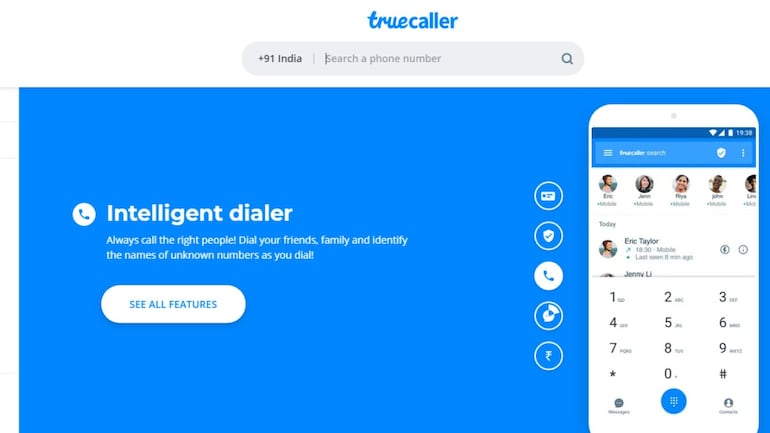
25 large integer individuals trust Truecaller for his or her communication desires, whether or not it’s for display or for obstruction spam calls and SMS. It filters out the unwanted, and permits you to connect with those that matter.

With a community-based spam list updated by legion users worldwide, Truecaller is that the solely app you wish to create your communication safe and economical.


Trucaller Feature Smart Messaging:
- Free Chat along with your friends and family on Truecaller

- Automatically identify every unknown SMS

- Automatically block spam and telemarketing SMS

- Block by name and number series
Trucaller Feature Powerful Dialer:
- The world’s best display can determine anyone occupation you

- Block spam and telemarketers

- See names of unknown numbers at intervals the choice history

- call Recording - Record important phone calls and save them to your phone

- Flash electronic messaging - Share location, emoji in a very flash to your friends..

- Backup decision history, contacts, messages and settings to Google Drive


Truecaller Pay - UPI Payments and recharges:
- Safe, secure and instant cash transfers - 24/7


- Quick mobile recharges and bill payments

- Manage all your bank accounts with BHIM-UPI.


- Bank grade security provided by ICICI Bank.

Truecaller Premium - Upgrade and get 
- Record phone calls

- Know who viewed your profile

- Option to view profiles privately

- Get the Premium badge on your profile

- 30 contact requests a month

- No ads


Watch Video : View Here


Truecaller Gold – Stand out from the crowd:
- Gold Caller ID
- High priority support
Truecaller has full dual SIM support!
IMPORTANT LINK:::: 


Who hasn't, at some purpose or another, received a call or text on their Android device from an unknown person? It's pretty safe to say during the course of owning a mobile phone with an active number, you've received at least a few unwanted or suspicious looking calls or texts. Most devices can solely determine a caller if they're programmed into your actual phone. Some service suppliers provide display services, but they can be spotty at best. The solution; a free app (with paid choice available) for your robot device known as, Truecaller. A feature made app which will determine unlisted numbers even whereas you are not connected to the net. In addition to obstruction spammy and unwanted calls, Truecaller currently features a block SMS feature moreover. Block unknown callers and texts and reap the rewards of an active community that updates their spam database day-to-day. For the purpose of this article, we used a Samsung Galaxy S4 to demonstrate the installation process and features.
Read More »

Popular Posts